
ReQL Segmentations
There are two types of ReQL Segmentations, both of which allow defining Segments using a ReQL expression.
Manual ReQL Segmentation
With Manual ReQL Segmentation, you specify individual Segments of the Segmentation.
Each Segment is defined by a ReQL filter: Items passing the filter belong to the Segment.
Example
Consider the same data about the Items as in this section.
You can create an Item Segmentation where each Segment will represent one row on the homepage.
With defined Segments as follows:
Items get segmented in this way:
You will get the optimal order of these homepage rows for the particular user by calling the Recommend Item Segments To User endpoint.
Creating in the Admin UI
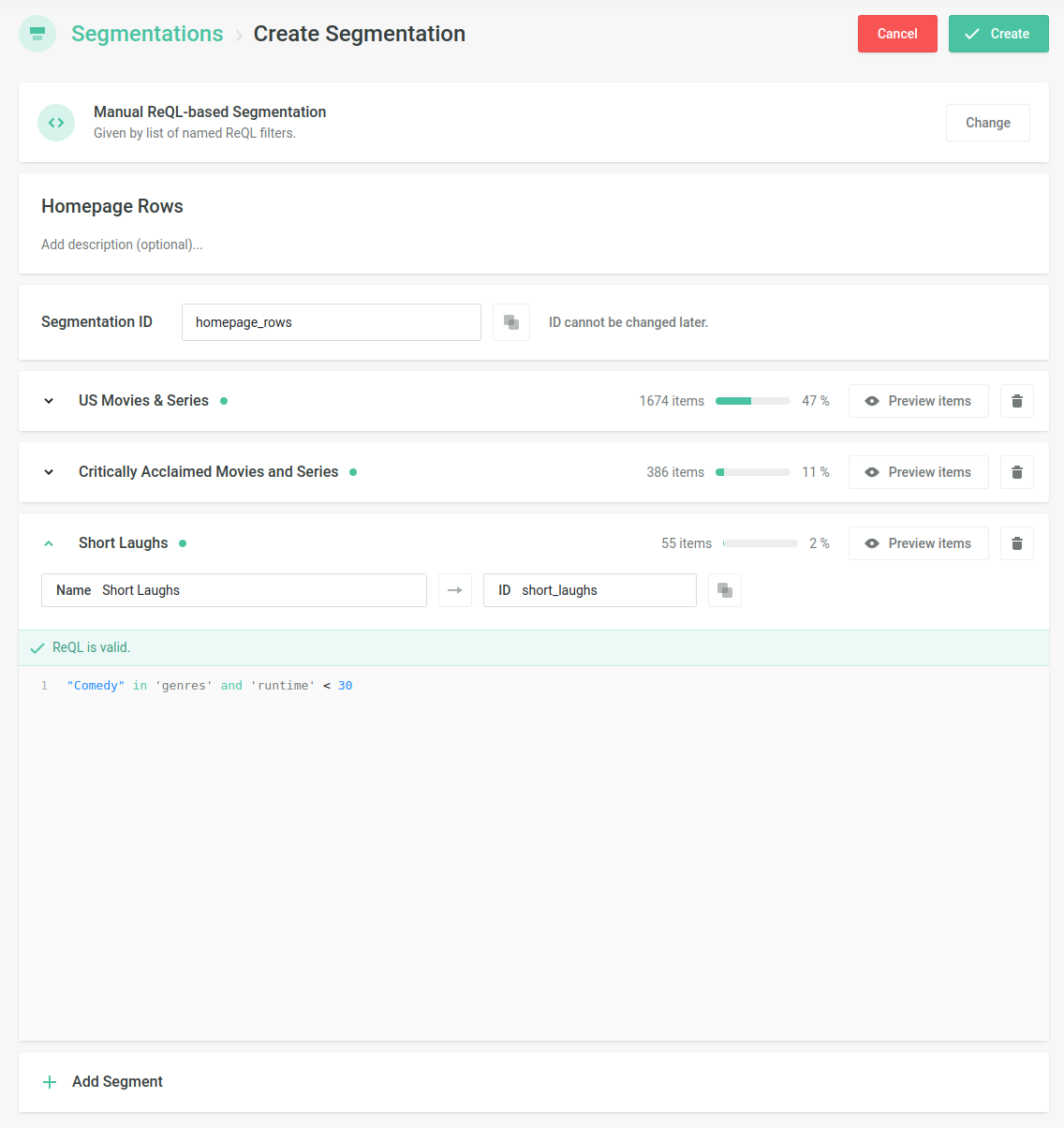
- Navigate to the Segmentations section
- Give the Segmentation a title, which gets translated into the Segmentation ID, and optionally also give a description
- Create the first Segment by giving it a name (which gets again translated into the Segment's ID) and providing the ReQL filter
- You can check which Items belong to the Segment by clicking on Preview items
- Click Add Segment to add another Segment
- When satisfied with the setup, click Create to confirm it
Creating via the API
- First, create an empty Segmentation using Create Manual ReQL Segmentation
- Then, add the individual Segments using Add Manual ReQL Segment
Auto ReQL Segmentation
Auto ReQL Segmentation is specified by a ReQL expression that for each Item returns a set of Segments to which the Item belongs.
The individual Segments don't need to be predefined in any way.
Examples
Example 1
The following expression returns the set of genres:
For example, for johnny_english it
returns {"Comedy"} and for the_silence_of_the_lambs it returns
{"Horror", "Thriller"}.
Therefore it behaves the same as the Property-based Segmentation using the genres property:
Example 2
The following Segmentation put the Items into Segments according to
their genres and also adds a
Critically Acclaimed Segment for items with
'critically_acclaimed' == true.
For example, for johnny_english it
returns {"Comedy"}, for friends it
returns {"Comedy", "Critically Acclaimed"}, and for the_silence_of_the_lambs it returns {"Horror", "Thriller", "Critically Acclaimed"}.
Example 3
The Segments of the following Segmentation are a combination of the Item's genres and country (British comedies, US thrillers, etc.).
For example, for johnny_english it
returns {"Comedy-GB"}, for friends it
returns {"Comedy-US"}, and for the_silence_of_the_lambs it returns
{"Horror-US", "Thriller-US"}.
Creating in the Admin UI
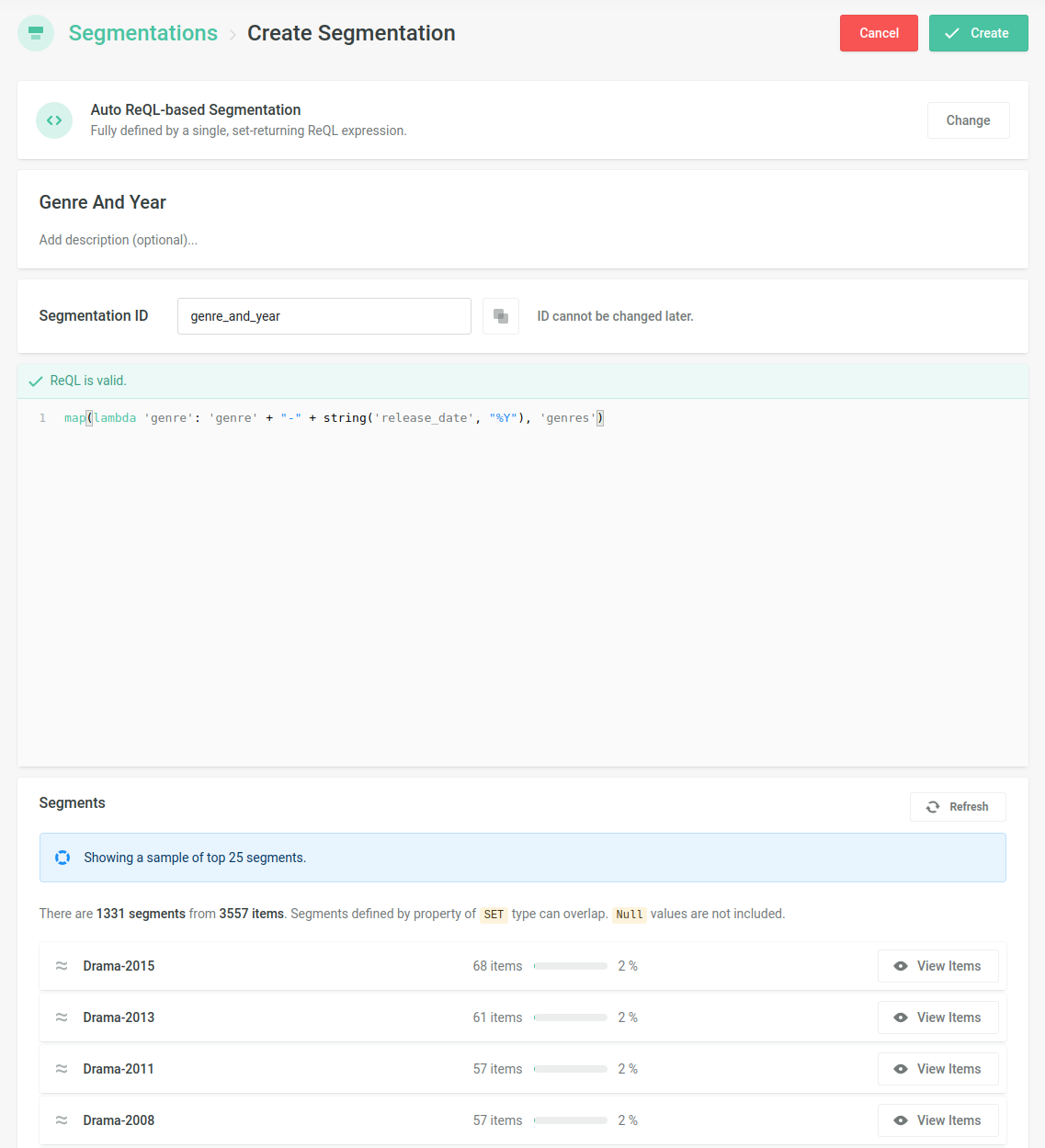
- Navigate to the Segmentations section
- Create a new Segmentation of the Auto ReQL type
- Give the Segmentation a title, which gets translated into the Segmentation ID, and optionally also give a description
- Provide the ReQL expression which returns a set of Segments to which an Item belongs
- Check the preview of the resulting Segments and confirm the setup
Creating via the API
- Call the Create Auto ReQL Segmentation endpoint.